A verifier reports two independent results for every file. Integrity states whether the bytes have changed since the file was signed. Assurance states what the signature establishes about where the file came from. We report these results separately because anyone who can produce a fabricated file can also produce a key and a valid signature for it, giving the file perfect integrity.
Integrity
| Result | Meaning |
|---|---|
valid | The file is byte-for-byte identical to the signed file. |
repackaged | The file was re-encoded, but the metadata and decoded pixel values are unchanged. |
metadata-modified | The decoded pixel values are unchanged, but the metadata was edited. |
tampered | The pixel values were changed. |
invalid | The signature does not verify, or the signed record is malformed. |
unsigned | No signature was found. |
Assurance
| Level | Meaning | Pass |
|---|---|---|
none | The file is unsigned. | no |
self-attested | The signature is valid, but the key does not trace back to any trusted manufacturer. Any fabricated file can reach this level. | no |
custodial | The key traces back to a trusted root, but it is held in software or by a facility, or the detector reported a non-physical acquisition mode such as a test pattern. An identifiable party vouches for the file, but the signature does not establish that an instrument recorded it. | no |
instrument | The key traces back to a manufacturer root, the manufacturer certifies that the key is held inside the instrument, and the detector reported a physical exposure. | yes |
Only the instrument level passes verification. The verifier lowers the assurance level whenever a condition fails, and never raises it when information is missing. A claim that is absent from the file is treated as a claim that was not made.
Example
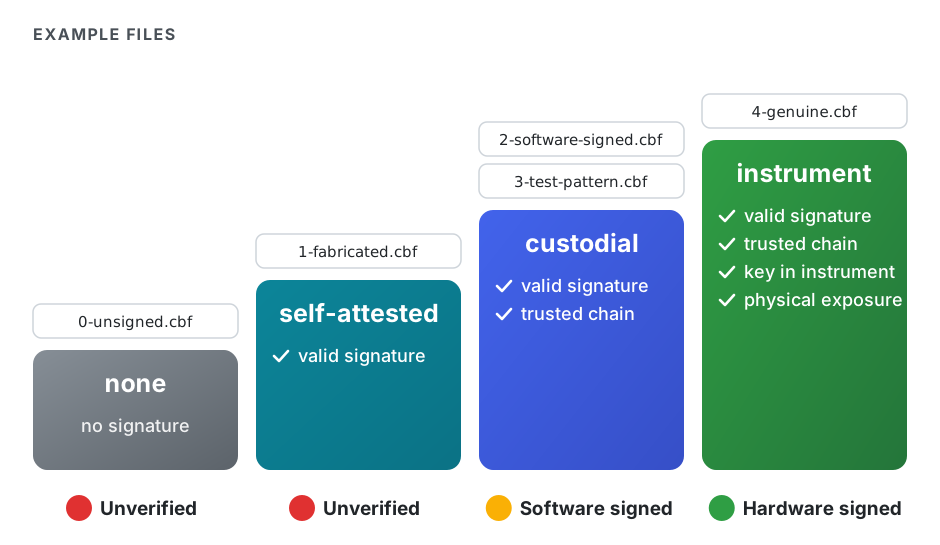
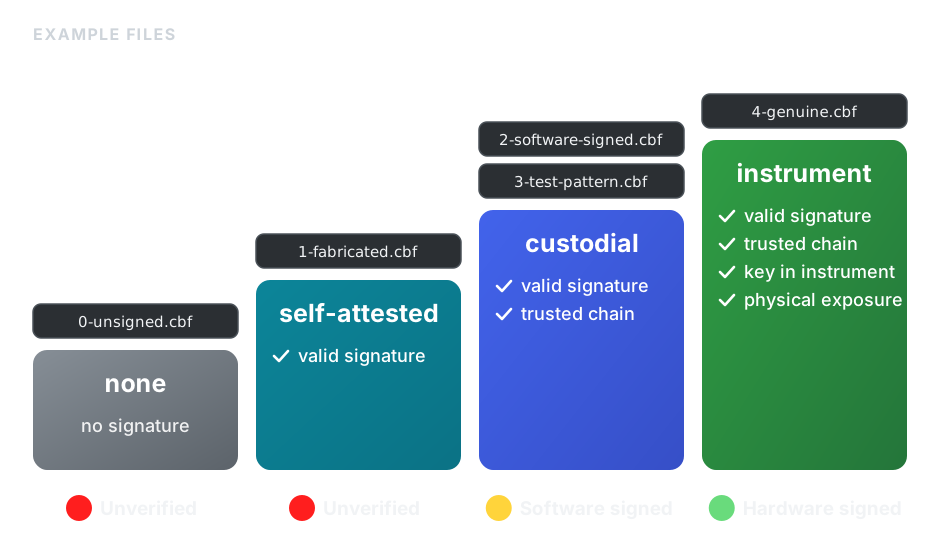
The demonstration in our reference implementation signs five frames that together cover every assurance level. All four signatures below are cryptographically valid, and the frames differ only in what the signature establishes about their origin:
FAIL unsigned           none           0-unsigned.cbf
WEAK valid              self-attested  1-fabricated.cbf
WEAK valid              custodial      2-software-signed.cbf
WEAK valid              custodial      3-test-pattern.cbf
OK valid instrument 4-genuine.cbf1-fabricated.cbfwas signed with a key generated for the purpose, which is what a generative model can do without any instrument.2-software-signed.cbfwas signed with a key certified by the manufacturer but stored in a file on a computer near the detector. Anyone with access to that file can sign anything, including simulated data.3-test-pattern.cbfwas signed by genuine detector hardware, but the detector reported that the frame was a test pattern.4-genuine.cbfis the only frame that supports the statement that a real detector recorded it.
Display
The demonstration verifier shows one of four lights for each file. Intact data at the instrument level receive a green light, and intact data at the custodial level receive a yellow light. Unsigned and self-attested data receive a red light, because an unsigned file and a self-attested file carry the same evidence about their origin. Data whose contents no longer match their signature receive a violet light. We use a separate color for modified data so that a detected modification is never confused with an absence of evidence, since almost all existing data are unsigned.